
LOGBOOK


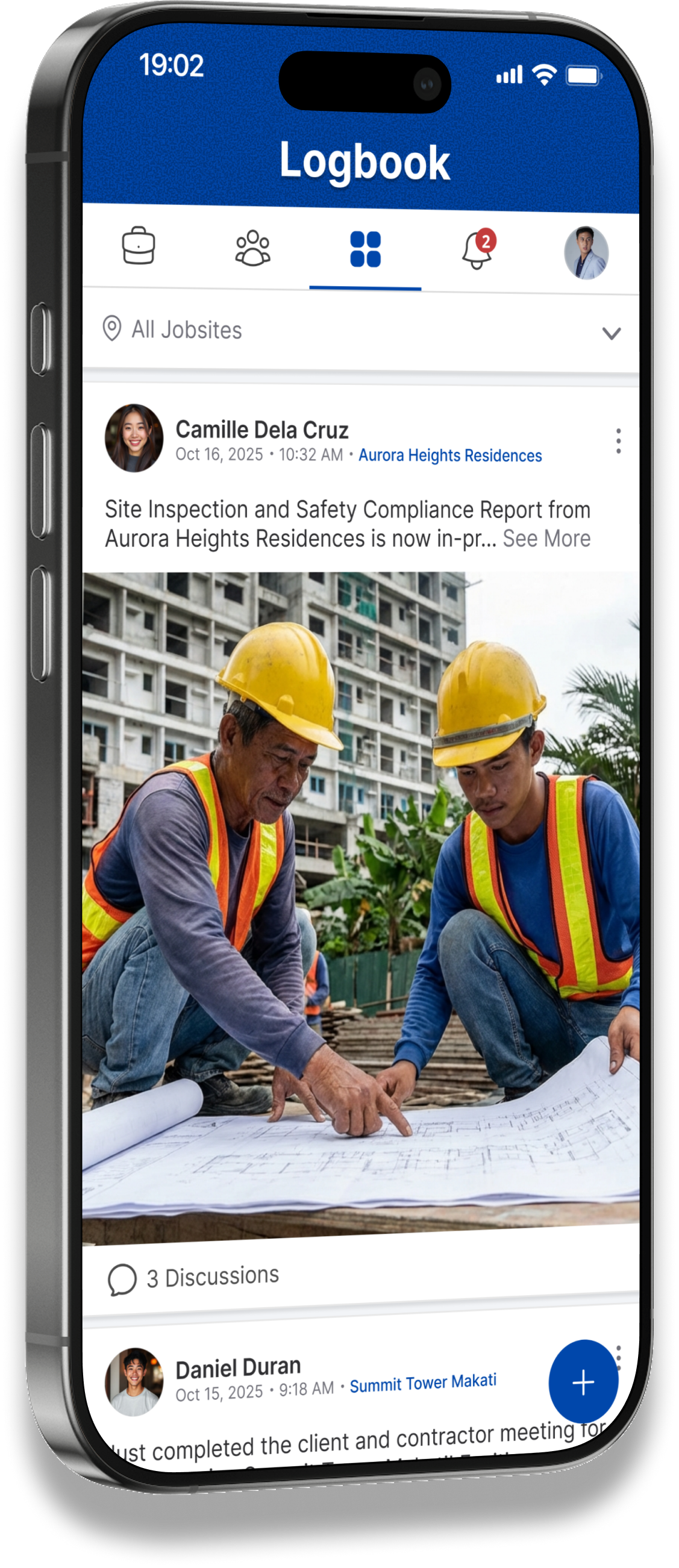
Real-time Updates, Seamless Collaboration, and Simple Tracking - All in One Place. Experience jobsite tracker that feels as easy as scrolling through Facebook.

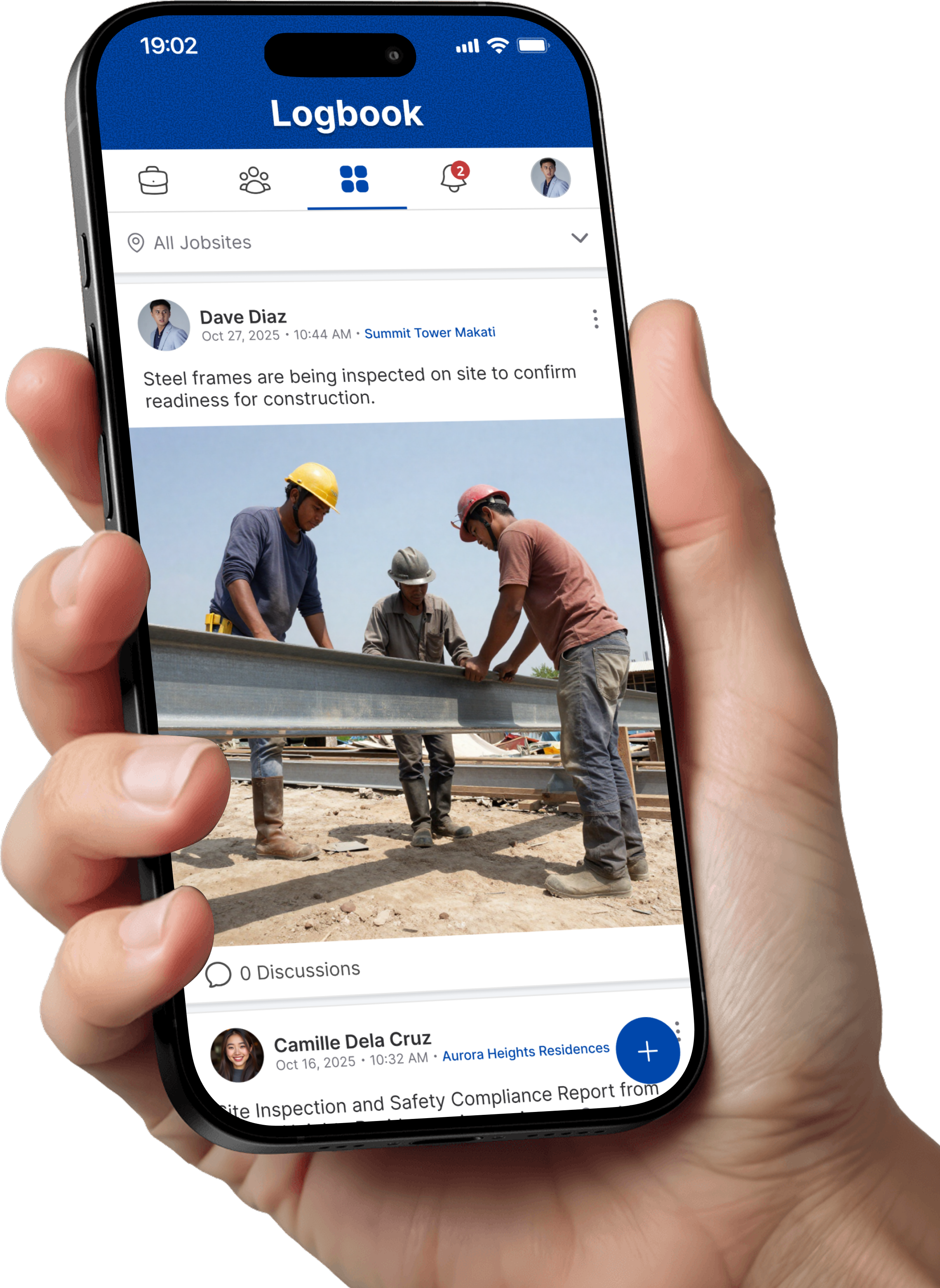
Jobsite Activity Logs
Stay updated with everything happening on-site in real time. View progress, reports, and updates in a clean, scrollable feed so you always know what's going on without the hassle.
Activity Log Discussions
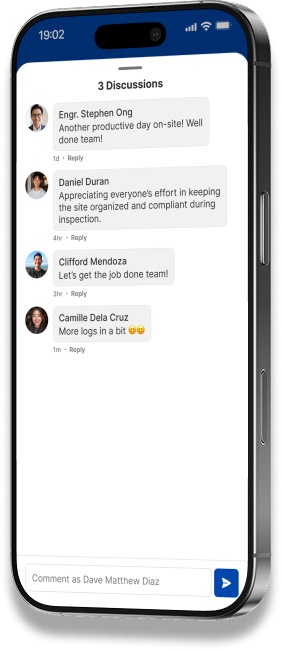
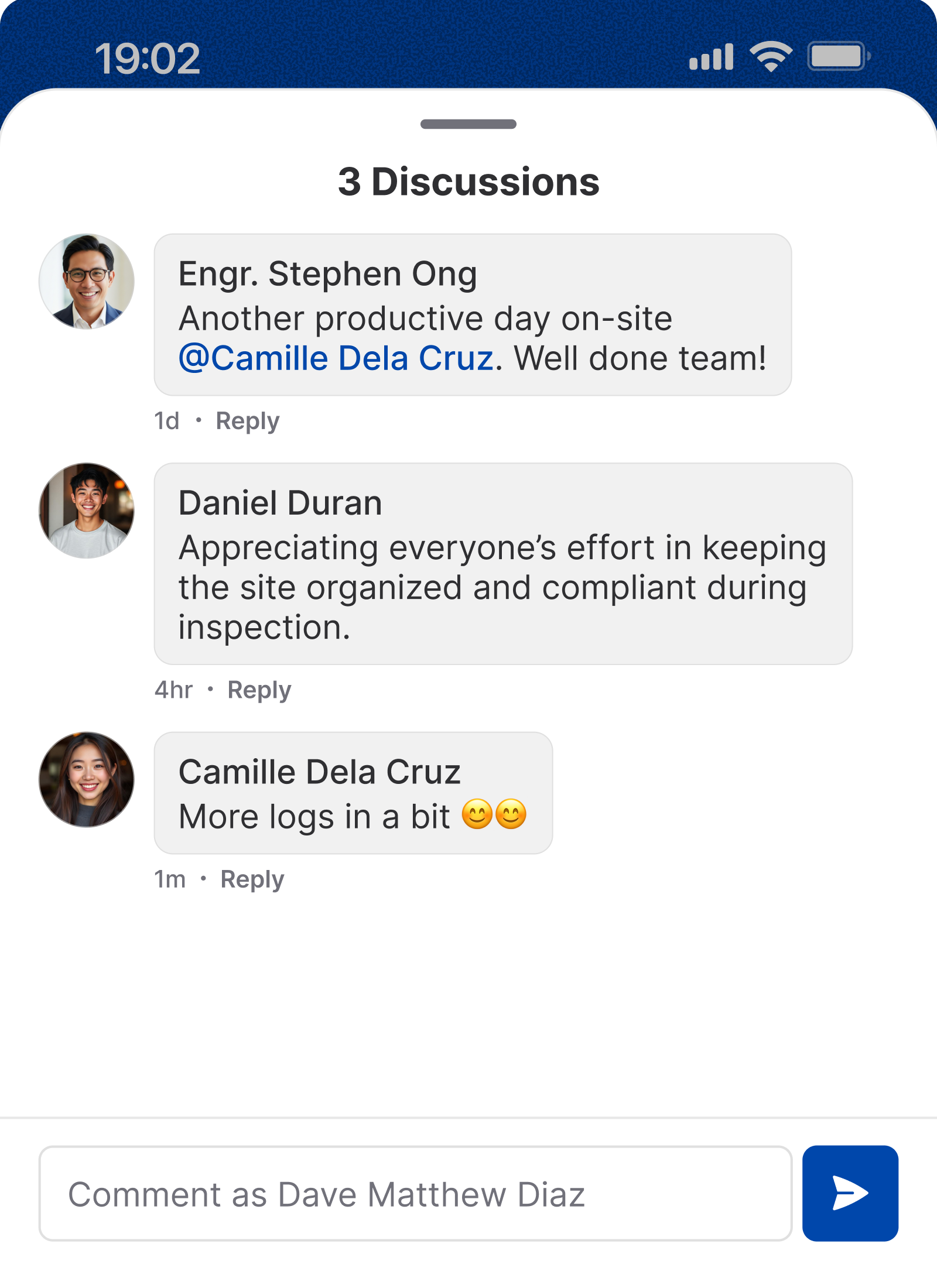
Turn every update into a conversation. Ask questions, give instructions, and clarify details directly within each activity keeping communication organized and contextual.
Manage Jobsite Team
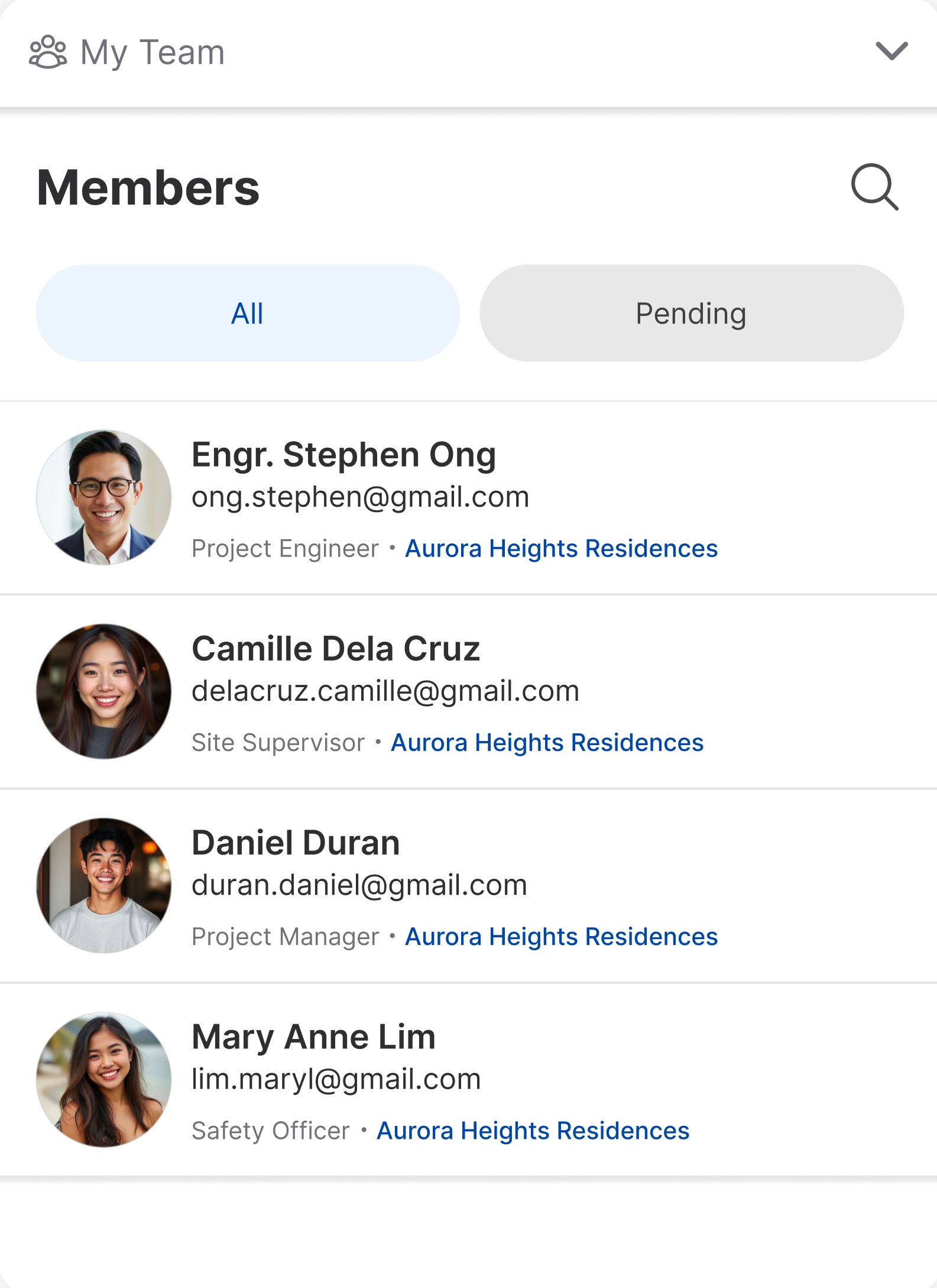
Invite your entire team in seconds and collaborate. Assign roles, share updates, and keep everyone aligned in one centralized workspace.
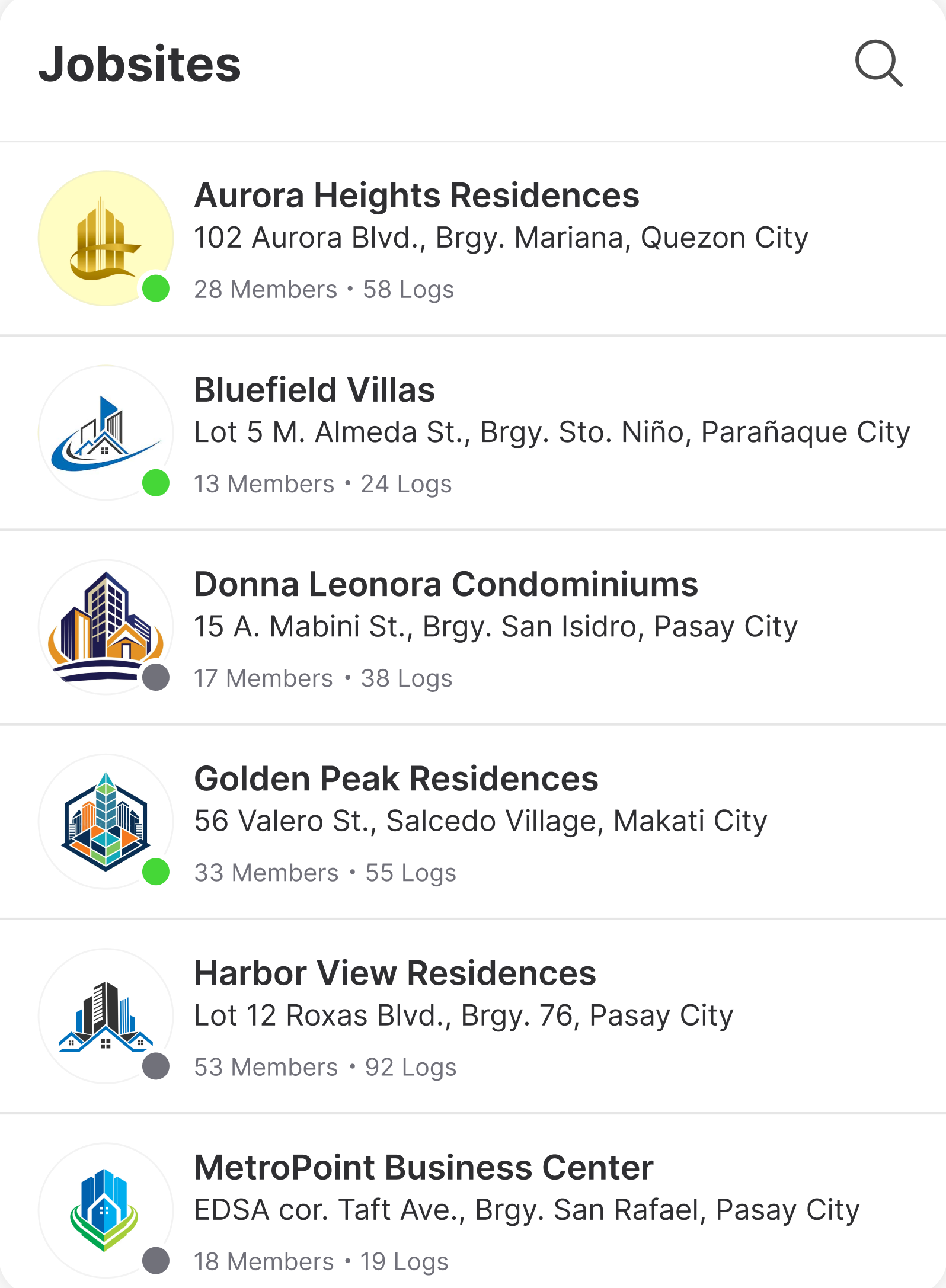
Manage Multiple Jobsites
Easily access all your jobsites whether you created them or were invited. Switch between projects seamlessly and stay connected to the work that matters.
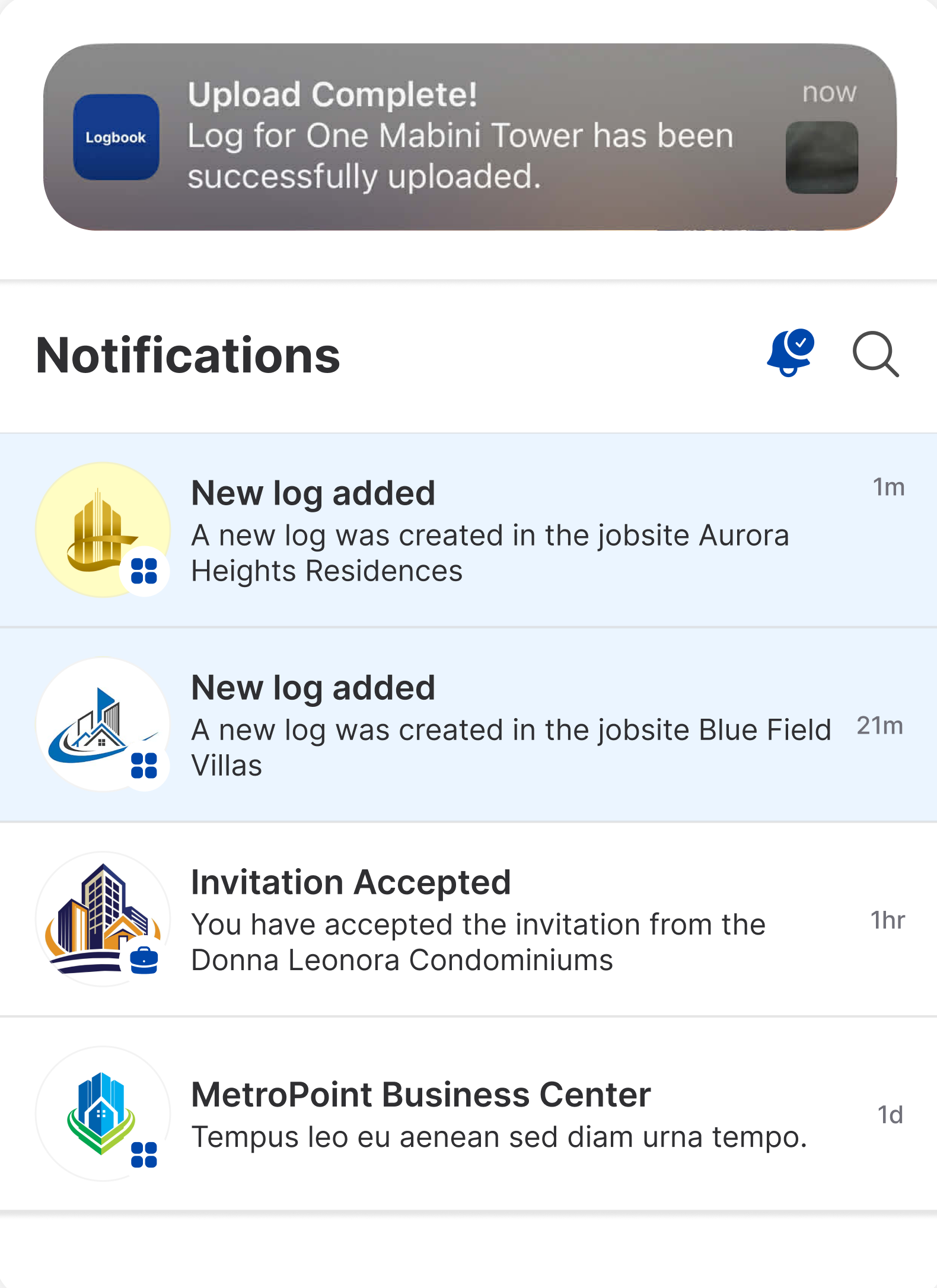
Real-time Notifications
Receive instant alerts for updates, discussions, and team activities. No more missed instructions or delayed responses, everything happens in real time.
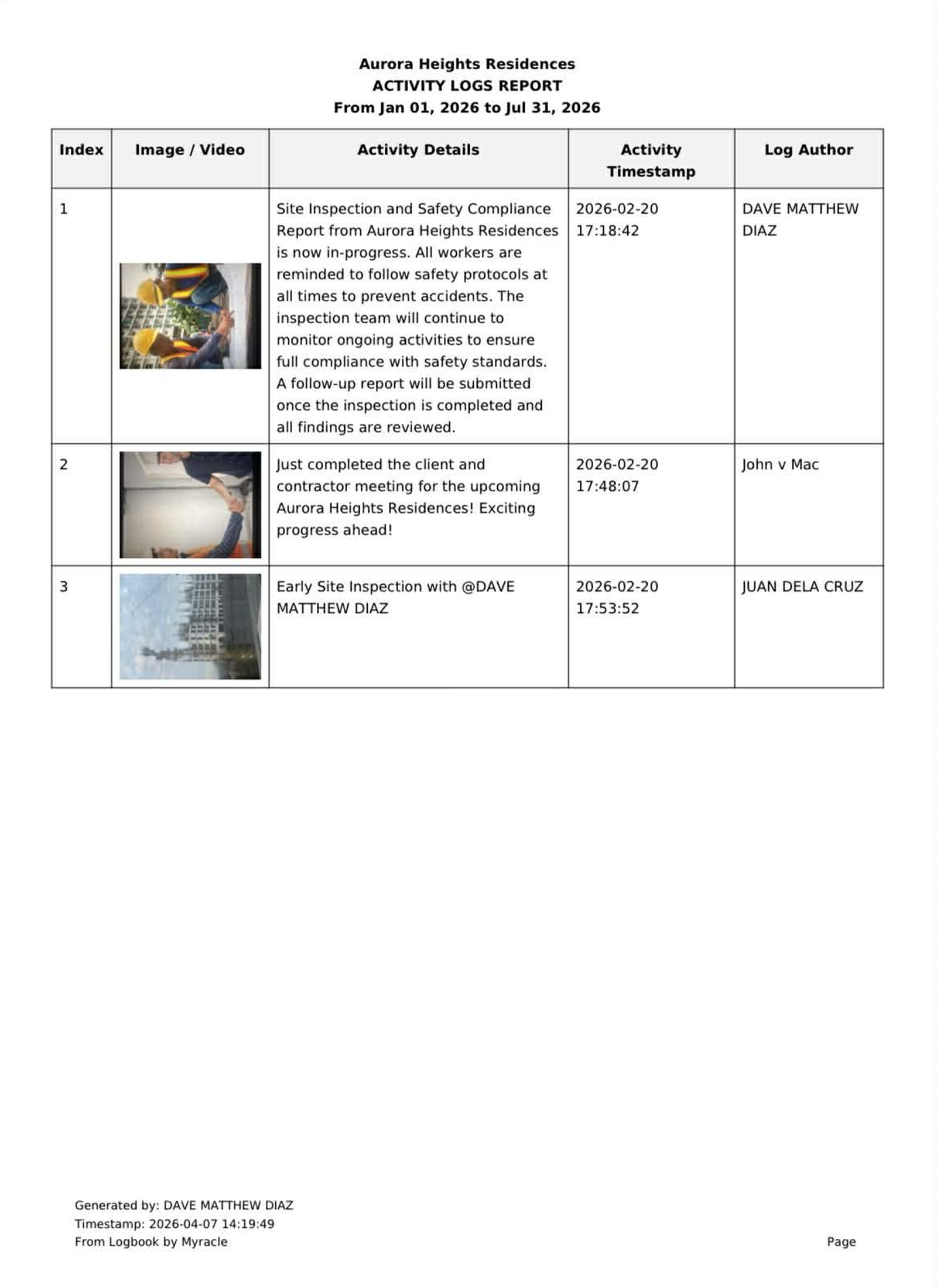
Generate Jobsite Reports
No more manual consolidation or backtracking through messages. Simply generate reports based on real-time data, ensuring accuracy, completeness, and consistency every time.

Data Security
Whether you're accessing Logbook from the office or on-site, you can rely on a secure environment that safeguards your data so you can focus on getting the job done.
Run Your Operations
In One Simple Feed
From jobsite updates to business decisions, everything happens in one simple, real-time feed.

Real Estate Development Tracking

Maintenance and Operations

Other Operations
Logbook for Construction Project Monitoring
Keep every jobsite moving without confusion
Logbook allows project managers, engineers, and foremen to post real-time updates directly from the field just like posting on Facebook. From daily accomplishments and delays to material deliveries and manpower logs, everything is documented in one centralized feed.
Instead of chasing updates through calls and chats, stakeholders can simply scroll and instantly see what's happening on every jobsite.
Perfect for Contractors, Developers, Site Engineers, Project Managers.
Demonstration
Get Started with Logbook in Minutes
Frequently Asked Questions
Ⅰ. Plans & Pricing
1. Is Logbook free to use?
Yes. You can start for free and create up to 3 active jobsites, including unlimited logs and team members. You only need to subscribe if you want to create more than 3 jobsites.
2. What happens if I exceed 3 jobsites on the free plan?
You won't be able to create additional jobsites unless you upgrade your subscription. You can upgrade anytime to unlock unlimited jobsites.
3. How much is the subscription?
The subscription is only ₱98,000 per year — unlimited jobsites, logs, and team members. No automatic data deletion while active.
4. How do I subscribe?
To subscribe, simply contact us at connect@myracle.ph and our team will assist you with the setup. We’ll guide you through the process to get your account fully activated as quickly as possible.
5. Do invited users need their own subscription?
No. Only the main jobsite creator needs a subscription. You can invite your team to your jobsite for free, making it easy to collaborate without additional cost.
6. When should I upgrade my plan?
You only need to upgrade when you want to create more than 3 jobsites. The free plan is ideal for small teams or starting projects, while the subscription is designed for scaling operations.
Ⅱ. Users and Roles
7. Do invited users have the same access as the jobsite creator?
-
No. Access depends on the role assigned to each user.
- Admin — Can edit the jobsite, create logs, participate in discussions, and generate reports.
- Creator — Can create logs and participate in discussions but cannot edit the jobsite or generate reports.
- Viewer — Can view logs and participate in discussions only.
- The main jobsite creator is automatically assigned as the Super Admin, and this role is exclusive to them.
8. Is there a limit to how many users I can invite?
No. You can invite unlimited users as long as they have their own account.
Ⅲ. Usage and Features
9. Is there a limit to how many logs I can add to a jobsite?
No. You and your team members can add unlimited logs to each jobsite.
IV. Data & Security
10. How does Logbook keep my data secure?
We use secure systems and controlled access to ensure your jobsites and logs are protected and only accessible to authorized users.
11. Who can access my jobsites and logs?
Only users you invite to a jobsite can access its data, based on their assigned roles and permissions.
12. Is my data private?
Yes. Your jobsites and logs are private to your team and are not shared with other users or organizations.
13. Is my data backed up?
Yes. Your data is stored securely and maintained to ensure it remains available and protected.
14. How long is my data stored?
Your data is stored as long as your jobsite is active or within the defined retention period.
15. Is Logbook suitable for business use?
Yes. Logbook is designed to support teams and organizations with secure, structured, and reliable data management.
V. Data Control
16. Can I delete jobsites manually?
You can manually delete a jobsite at any time, including all its logs. However, only users with Super Admin or Admin roles have permission to delete a jobsite. Once deleted, the jobsite and its data cannot be restored.
17. What happens to my data if I delete a jobsite?
When a jobsite is deleted, all associated data is permanently removed and cannot be recovered.
18. Can I delete logs manually?
-
Yes. Log deletion depends on your role:
- Super Admin / Admin — Can delete logs anytime.
- Creator — Can delete logs within 5 minutes after posting.
19. What happens if I change the status of a jobsite to inactive?
Inactive jobsites are temporarily disabled and can be reactivated within 30 days. While inactive, members will not be able to access the jobsite and its logs.
20. Will an inactive jobsite be deleted?
Inactive jobsites can be reactivated within 30 days. If a jobsite remains inactive for an additional 30 days (60 days total), it will be automatically deleted.
VI. Subscription & Data Lifecycle
21. Will my jobsites be automatically deleted?
No. Your jobsites will not be deleted as long as your subscription is active. For free users, jobsites will remain available as long as they are set to active.
22. Will my logs be automatically deleted?
Logs are tied to the status of the jobsite.
If the jobsite is active, all logs remain safe and accessible.
If the jobsite becomes archived or deleted, its logs will follow the same status and may be permanently removed.
23. What happens while my subscription is active?
All your jobsites will remain fully accessible. No data will be deleted or archived.
24. What happens when my subscription expires?
Once your subscription expires:
Your first 3 created jobsites that are currently active will remain active.
Any additional jobsites will be archived.
25. What happens to archived jobsites?
Archived jobsites are stored for up to 60 days. During this period, your data remains safe and can still be restored.
26. Can I recover archived jobsites?
Yes. If you renew your subscription within 60 days, all archived jobsites will be automatically restored and made active again.
27. When are jobsites permanently deleted?
If you do not renew your subscription within 60 days, all archived jobsites will be permanently deleted and cannot be recovered.
VII. Sponsorship
28. Can I sponsor ads?
-
Yes. We offer sponsorship packages to help you promote your brand within Logbook:
- Standard Package — ₱50,000 / 30 days
Includes 1 activity log (image) and 1 banner placement. - Premium Package — ₱60,000 / 30 days
Includes 1 activity log (video or carousel) and 1 banner placement.
- Standard Package — ₱50,000 / 30 days